The Flicker Audit: A Practical Power-Dip Check for Your Small Office
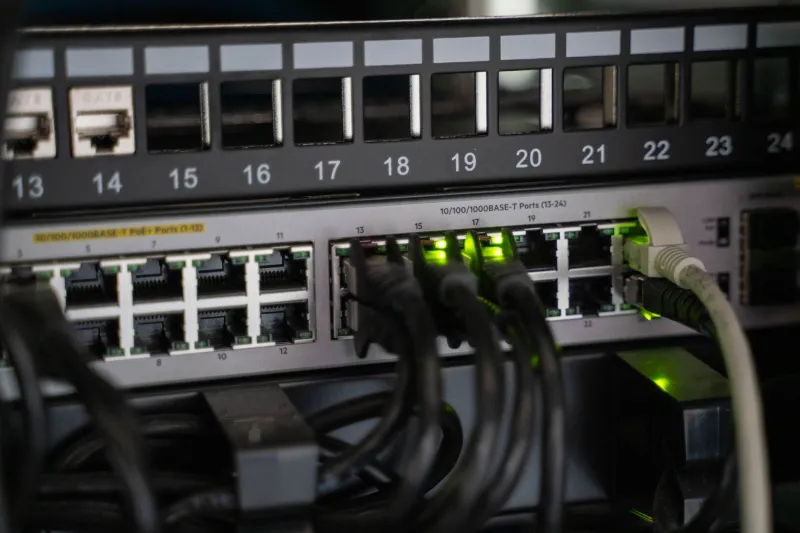
It is a Tuesday afternoon. The lights flicker, the microwave clock resets, and everyone looks up. Then they go back to work. Somewhere in the comms cupboard, though, the router has rebooted, the NAS is beeping, and a file server is checking itself. The lights staying on is not the test. The test is whether your IT comes back cleanly.
A two-second blackout is easy to dismiss. It is also exactly the sort of event that leaves a small business chasing its tail for the rest of the week. The good news is that you do not need a data centre to prepare for it. You need a plug walk, a sensible shopping list, and one quiet Friday afternoon.
Start with a plug walk, not a shopping list
Before anyone buys a UPS, map what is plugged in where. In a typical UK small office, the usual suspects are the broadband router or Openreach ONT, the VoIP base unit, the network switch, the NAS, a server, desktop PCs, monitors, the printer, door access, and the CCTV recorder. Some will be on a shared extension lead under a desk. Some will be in a comms cabinet. Some will have a wall wart that nobody has looked at since installation.
Take photos. Label the plugs. Note which socket feeds which bit of kit. The point is not to create a beautiful diagram; it is to find the things that, if they reboot at 2pm, cost you money or time. The broadband line, the phone system, the file store, and the till are usually near the top of that list. The office Spotify machine is not.
Decide what actually needs a UPS
Not everything. A UPS is there to bridge a blink and give you time to shut down properly. Desktops and monitors are nice to protect, but they are not the priority. The comms kit is: router or ONT, core switch, VoIP gateway, NAS or server.
If your broadband arrives through a Virgin Media hub or an Openreach ONT, that box needs power. If your phones are VoIP, the handsets need power or Power over Ethernet. If the switch dies, the phones and access points die with it. Size the UPS by wattage, not by socket count. Check the labels on the power supplies or use a plug-in power meter. Leave headroom. A 1500VA unit may be fine for a comms cabinet; it will not run a kettle, and it should not be asked to.
Test the UPS without causing a scene
Most decent UPS units have a self-test button. Press it. Listen for the click. Check the battery indicator. That is the easy bit.
The useful test is a controlled pull-the-plug exercise, ideally out of hours. Put a known load on the UPS, unplug it from the wall, and watch. Does the kit stay up? How long for? Does the UPS software log the event? Does it shut the NAS down cleanly? If you do not have monitoring software, at least confirm that the battery runtime is longer than the time it takes you to shut things down by hand.
Replace batteries every three to five years. A UPS that has been quietly beeping in a cupboard for a year is not a backup; it is a doorstop with a plug.
The broadband and phone bits people forget
The ONT or cable modem is often in a cupboard with no UPS at all. If the power dips, the internet goes even if the router is protected. Put the ONT or modem on the UPS too.
For phones, if you have moved to VoIP, the base station and the switch need power. If you still have a line-powered analogue phone, a power cut may leave you with a dial tone, but check rather than assume. Keep one ordinary corded phone if you can, and know where it plugs in. Copper retirement is changing the old certainties, so the safe move is to test what actually works in your building.
Safe shutdown is a setting, not a hope
For a NAS or small server, enable UPS-aware shutdown in the management interface. Connect the UPS USB or serial cable to the NAS or server. Set it to shut down when the battery is low, not when the power first goes. For Windows or Linux machines, install the vendor's power software. For a simple NAS, the built-in UPS support is usually enough.
Write down the sequence: what shuts down first, what shuts down last. Test it on a quiet Friday. A clean shutdown is boring. A dirty one is an email chain.
The recovery card
Make a laminated card for the comms cupboard and keep a copy in the cloud. It should say who to call, what to unplug, what to leave alone, how to check the broadband line, how to restart the NAS in order, where the UPS is, and what the beeps mean. Include the ISP account number, the electrician, the IT contact, and the out-of-hours number. Keep it short enough to read by torchlight.
A 30-minute version
If you only have half an hour, do this: label the plugs, put the router or ONT and the core switch on a UPS, enable UPS shutdown on the NAS, and write the recovery card. That is the 80% fix. The rest can wait for the next quiet Friday.
The lights coming back on is not the same as your business coming back on. Test the blink before it tests you.